Product Guide

A preview of how Eggi is designed to work when the first public release arrives.

1

Launch & Setup

Focus: Getting started

Start light while Eggi is still preparing the first public release

Join the waitlist while the app is in final preparation
Create your account when access opens
Allow location only if you want nearby For Tonight options
Set cuisine or dietary preferences to shape filtering
Start with a lightweight profile and get into the product quickly
βš™οΈ

Step 1

Waitlist first

We are still in the startup phase, so waitlist updates keep early users close while launch preparation continues.

Join the Waitlist
2

Dream Feed

Focus: Inspiration

Discover restaurants, food spots, and cafes through a visual, inspiration-first flow
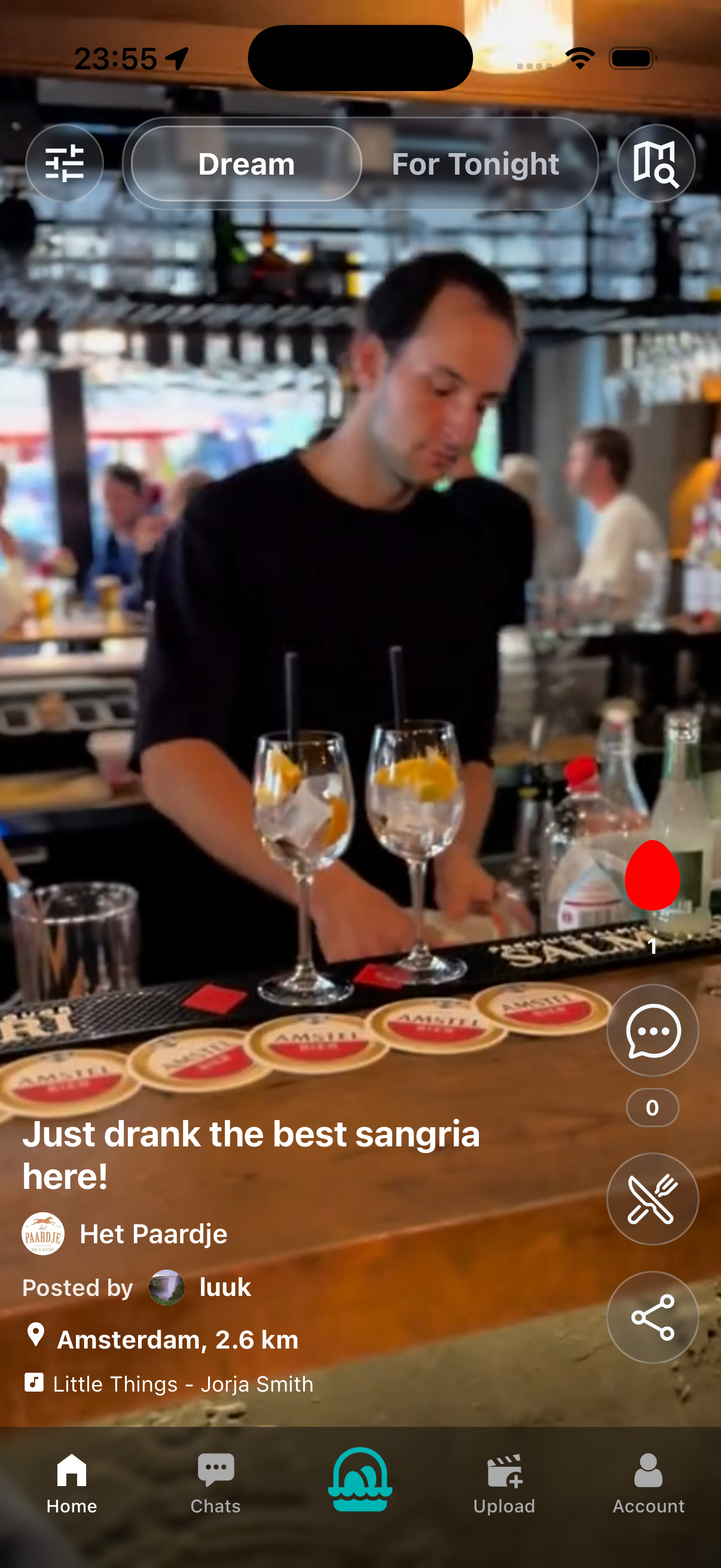
Use Dream when you want inspiration instead of a rigid search
Swipe through videos to get a feel for places quickly
Open venue cards when something catches your eye
Save promising spots to your Basket so you already have a collection to visit once you are near the location, for example on vacation
Keep exploring until you have a shortlist that feels personal
Dream Feed screen preview
3

For Tonight + Map

Focus: Decision mode

Turn inspiration into a real plan with nearby, practical options
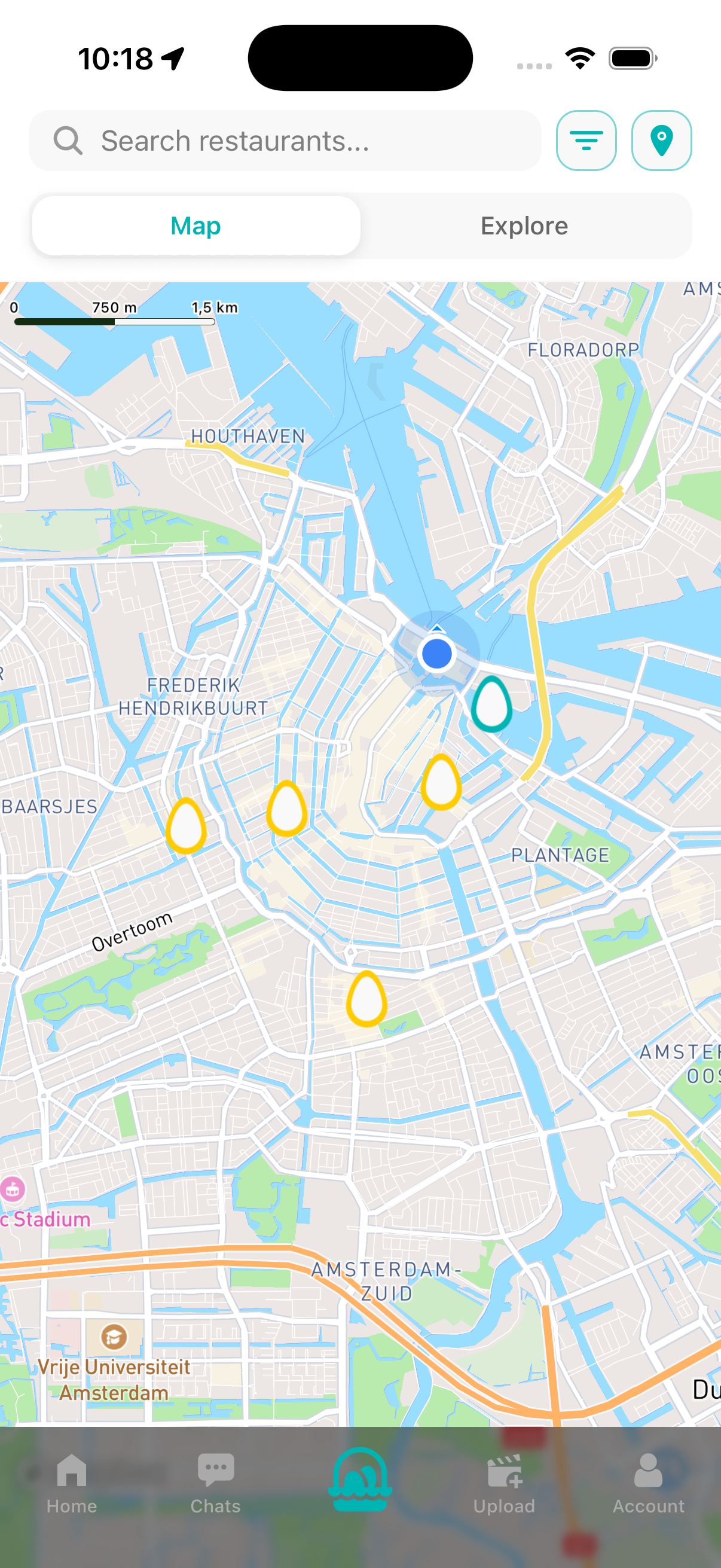
Switch to For Tonight when you need something practical
Filter for nearby options and what fits the moment
Use the map to understand location at a glance
Keep the map feeling natural so discovery stays anonymous and as lightly influenced as possible
Move between list, map, and details fluidly
For Tonight + Map screen preview
4

Venue Pages

Focus: Closer look

Go deeper before choosing where to go
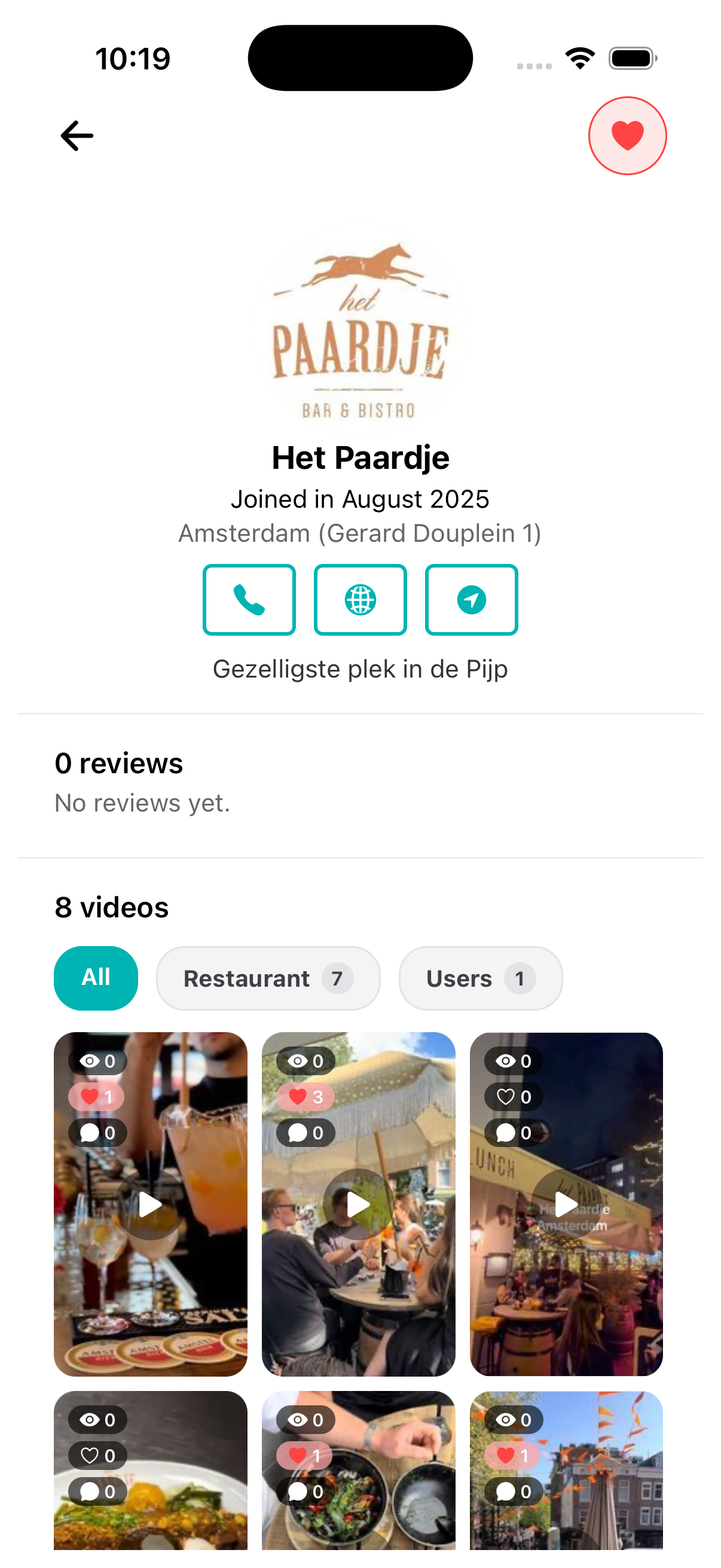
Check the vibe, visuals, and practical details in one place
Compare venue-owned videos and user videos so you get multiple perspectives
Use the page to form your own first glance instead of depending too heavily on written reviews
Reserve when available through the app, by calling, or through reservation-tool API integrations
Creator and influencer content can still add perspective without becoming the only signal
Venue Pages screen preview
5

Basket

Focus: Shortlisting

Save the good options in one place
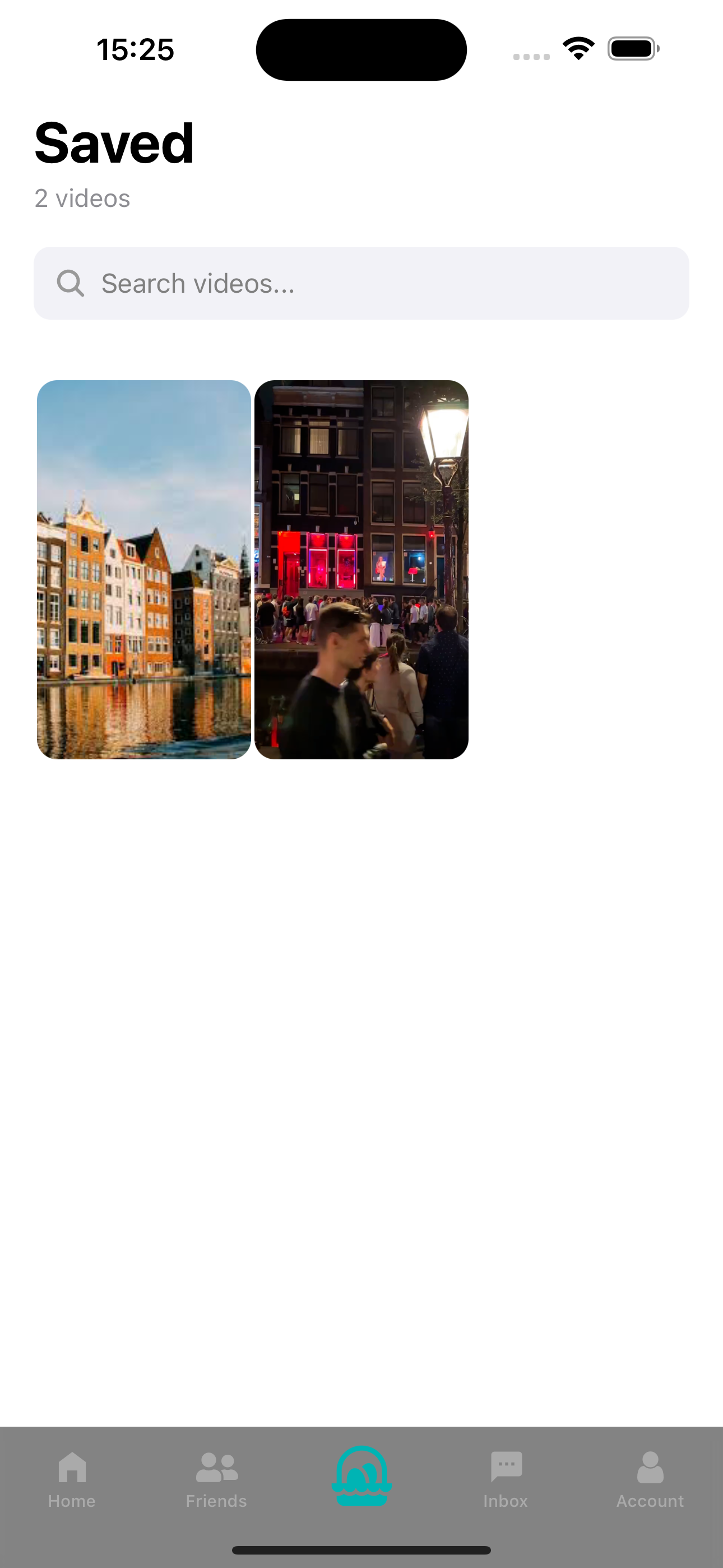
Use the Basket as a shortlist for later or for tonight
Keep date ideas, coffee spots, dinner options, and vacation finds together
Return to saved places without starting over
Compare a few strong candidates before deciding
Refresh the list as your mood or location changes
Basket screen preview
6

What Comes Next

Focus: Roadmap

How we expect the product to grow after launch

The first public release centers on Dream, For Tonight, map, venue pages, Basket, reservation support, and the social layer
Profiles, following, messaging, and sharing are part of the first release rather than a separate later phase
Restaurant-side support, live chat, partner workflows, and analytics can grow next as the platform scales
Later on, Eggi can expand from restaurants, food spots, and cafes into attractions, destinations, and other travel activities
Feedback from early users and venues will shape the exact order of priorities
πŸš€

Step 6

Growth roadmap

The next phases are about scaling with restaurants first, then expanding into a broader all-in-one travel experience.

View Roadmap

What We're Optimizing For

The first version of Eggi is built around a few simple behaviors that keep discovery useful instead of overwhelming.

🎯

Start in Dream

Use the inspiration feed first when you are still feeling out the mood.

πŸŒ™

Switch when timing matters

Move into For Tonight as soon as the decision becomes practical and time-sensitive.

πŸ—ΊοΈ

Use the map as a reality check

A place can look great in the feed and still be wrong for your location, so keep the map in the loop.

🧺

Save fast, decide later

The Basket is there so you can collect promising places before you are ready to choose.

πŸš€

Expect a focused first release

The launch version is intentionally lean so the core flow can feel solid before more layers are added.

πŸ“¬

Stay close to updates

The roadmap and waitlist are the best places to follow what changes as launch gets closer and the broader travel vision takes shape.

Homepage Walkthrough

Want the current visual walkthrough? We placed the latest product video on the homepage so it is easy to find.

πŸŽ₯
Current Product Walkthrough
Available on the homepage
Watch Walkthrough

Stay in the Loop

The app is not in the stores yet, so the best next steps are to join the waitlist and follow the roadmap.